Bridge Plans help establish organizational goals, organize managers and directors to achieve individual and organizational targets, and redesign operations to encourage efficiency and change management. A well-established Bridge Plan can affect an organizational shift in responsibility and change management from the “C suite” to qualified managers and directors across the clinical and business operations. The bridge plan concept involves the empowerment of staff to develop and implement plans across the organization in a team-oriented approach.
The bridge planning moblile app allows you to take the bridge plans with you and track the progress of your organizations operational and financial improvement projects on your mobile device (iPhone or iPad).
You can select how you would like to view the bridge plans. They can be sorted by amount achieved, projected, committed or annualized.
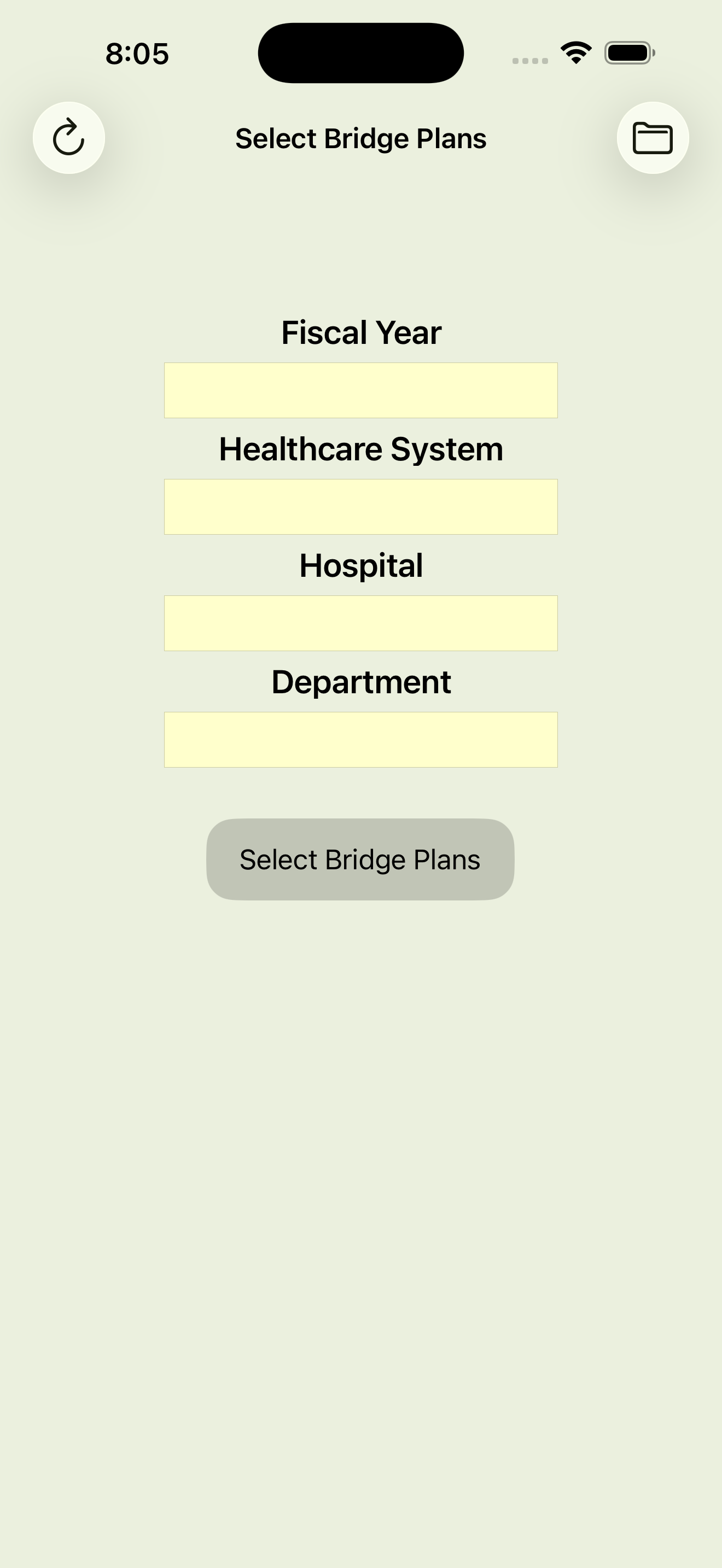
Bridge plans can be selected by fiscal year, healthcare system, hospital and/or department.
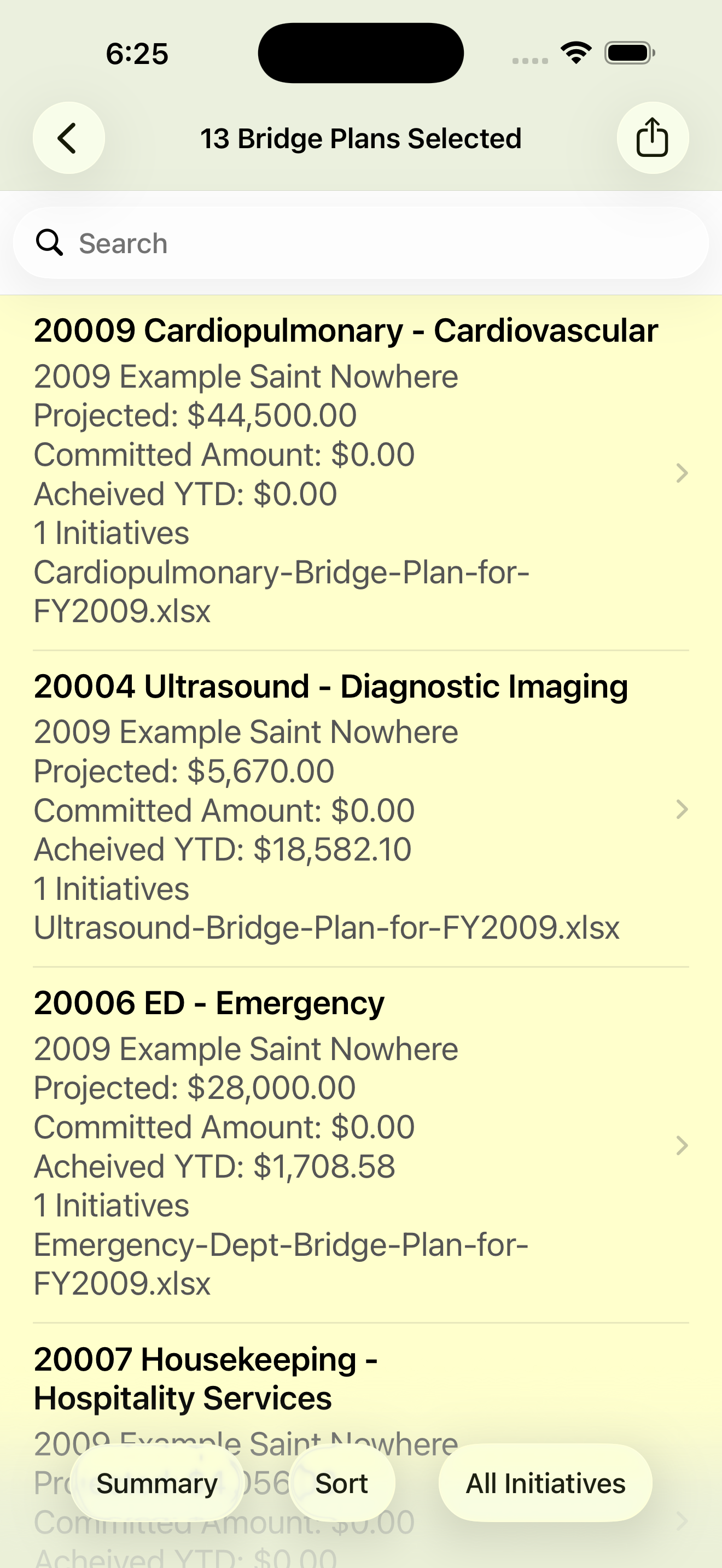
When you select the bridge plans you want to view, a list of those bridge plans is displayed, sorted by fiscal year, healthcare system, hospital or department.
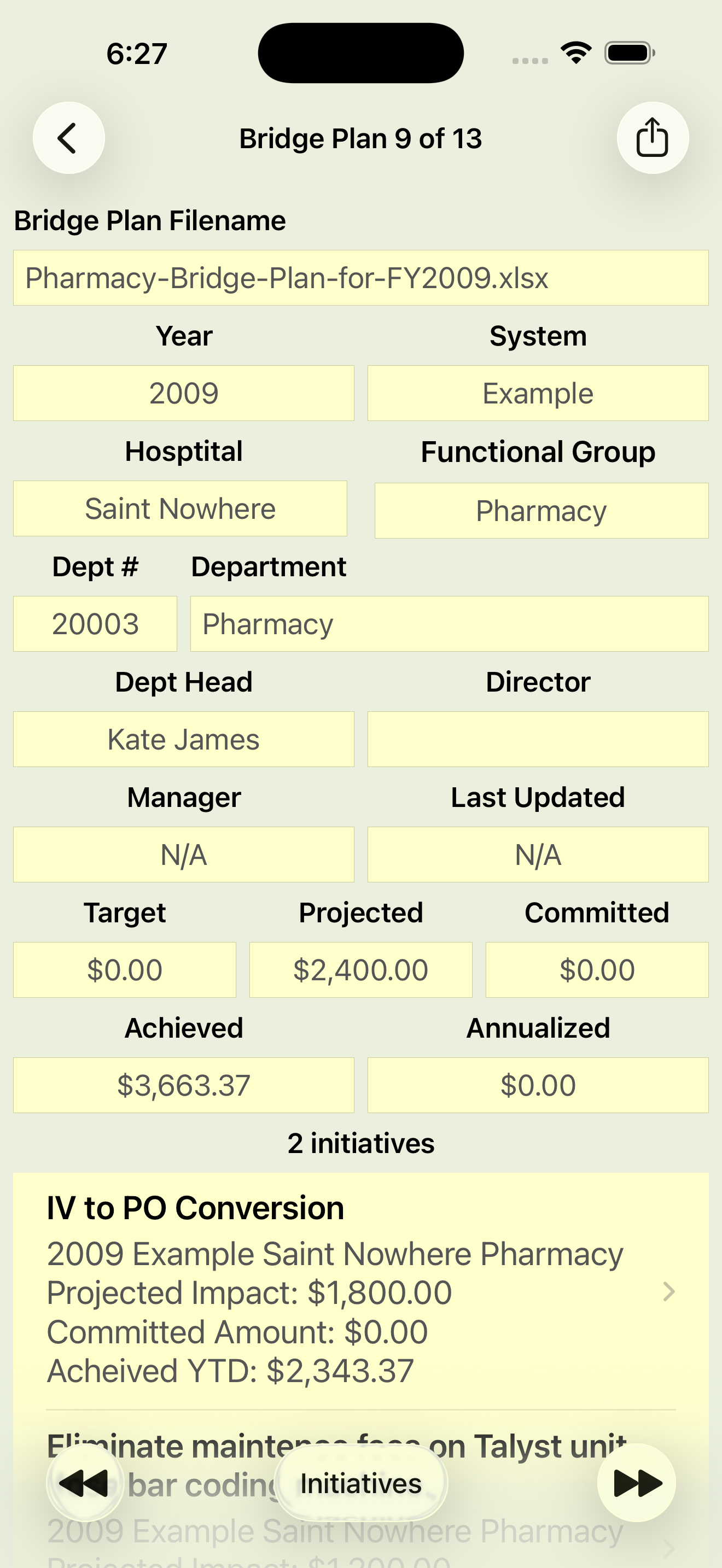
BRIDGE PLAN DETAIL
To view the bridge plan detail, tap on any bridge plan listed. A detail view will be displayed showing all the bridge plan details.
You can step through the list of bridge plans you selected by pressing the ⏪ and ⏩ buttons.
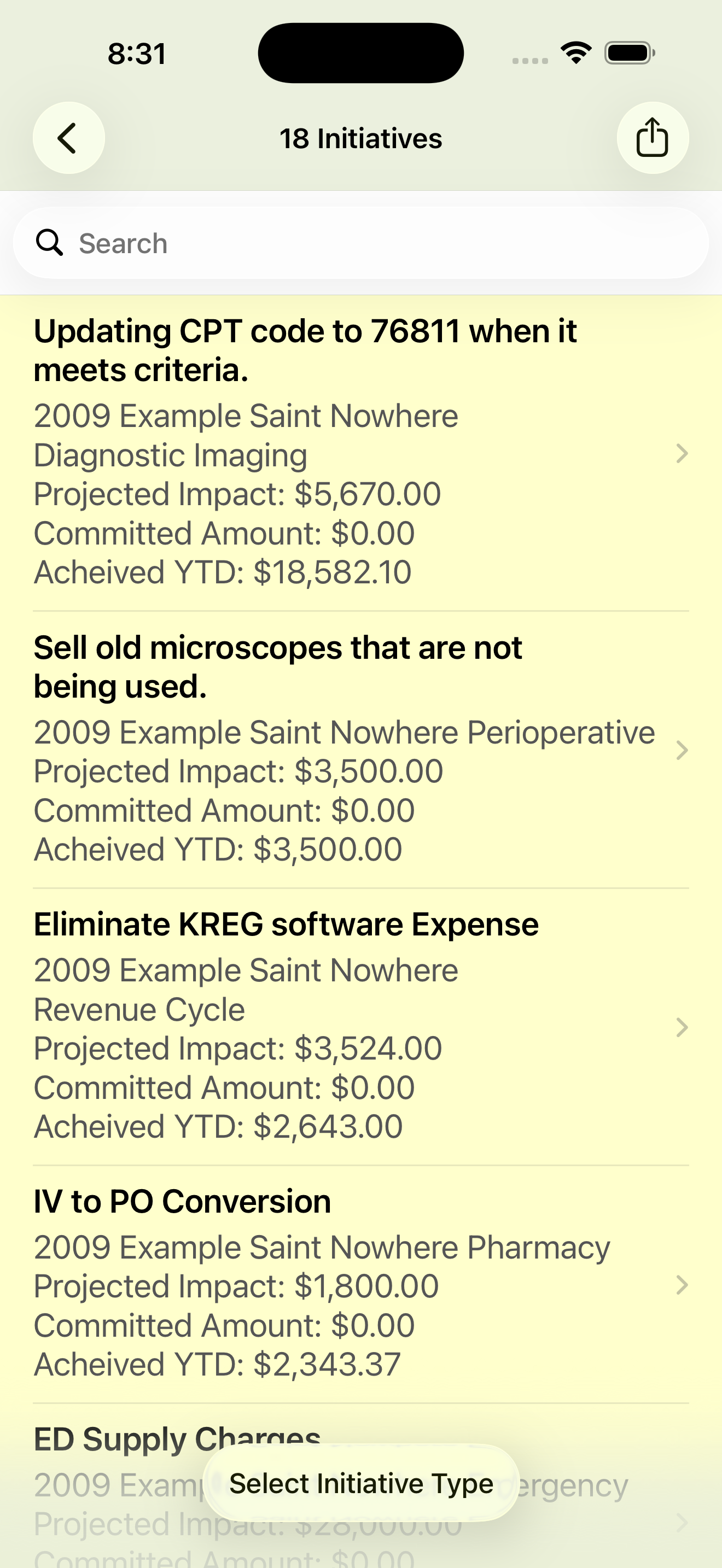
Tap the Initiatives button to view a list of bridge plan initiatives included in the bridge plan you selected.
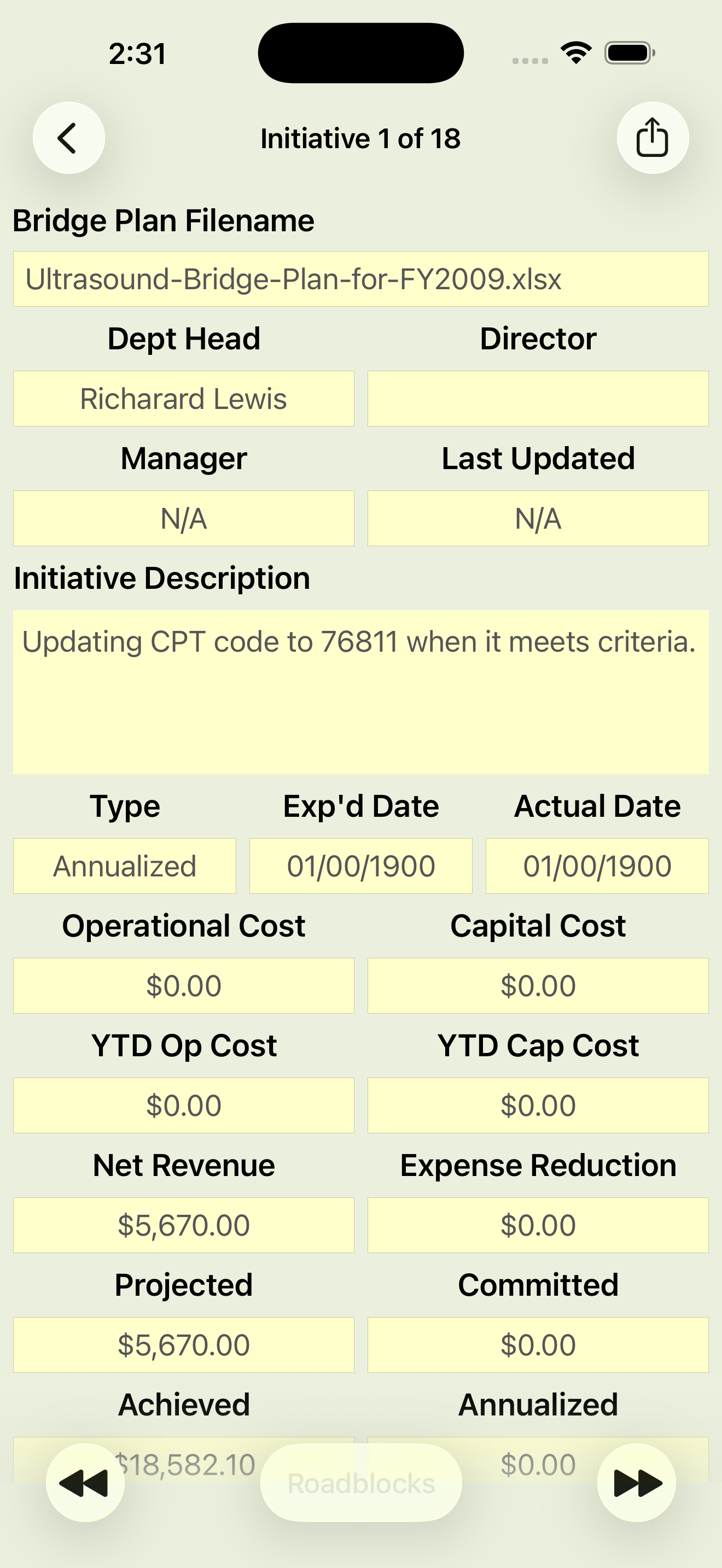
To view an initiative details, tap on any initiative listed. A detail view will be displayed showing the initiative details.
You can step through the list of initiatives by pressing the ⏪ and ⏩ buttons.
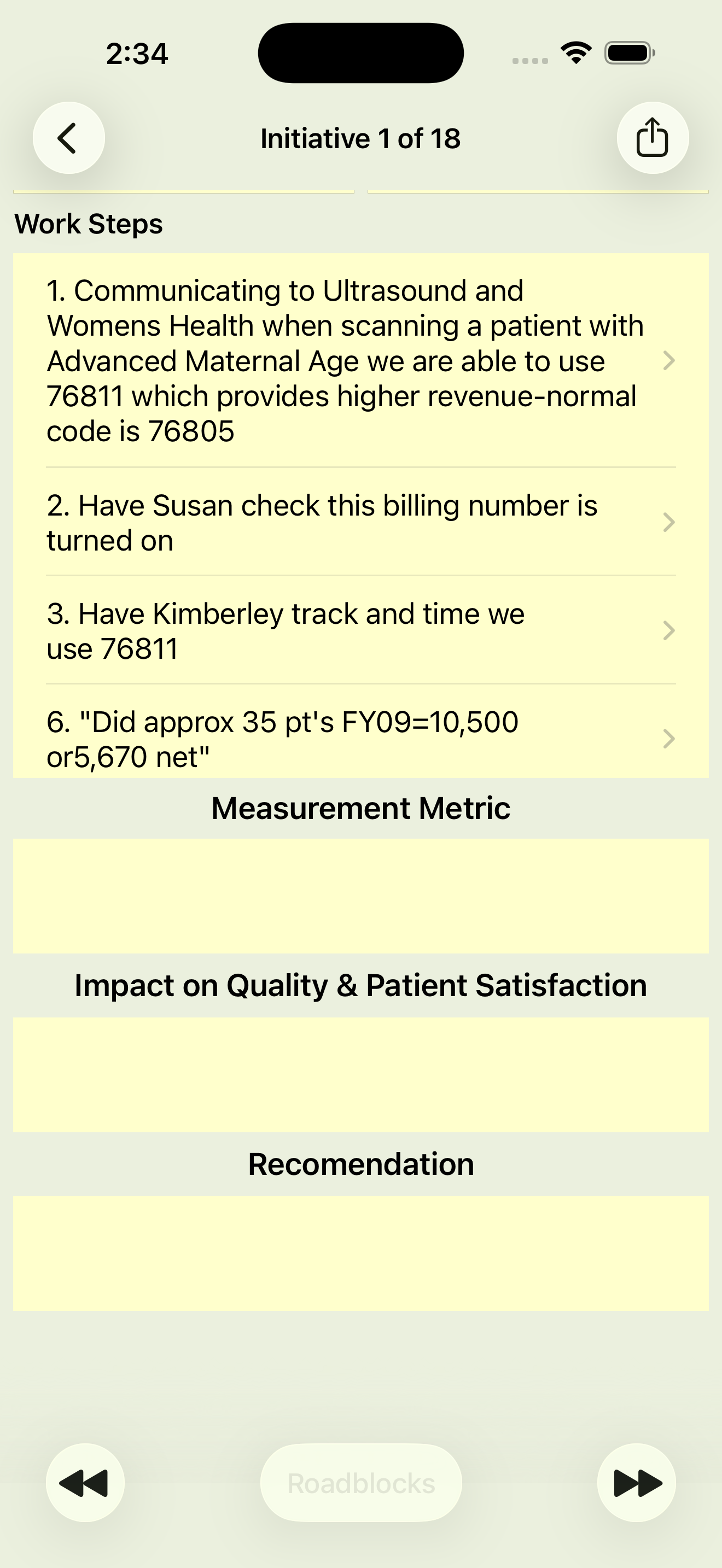
Scroll down in the initiative detail view to see the list of work steps to accomplish in the initiative.
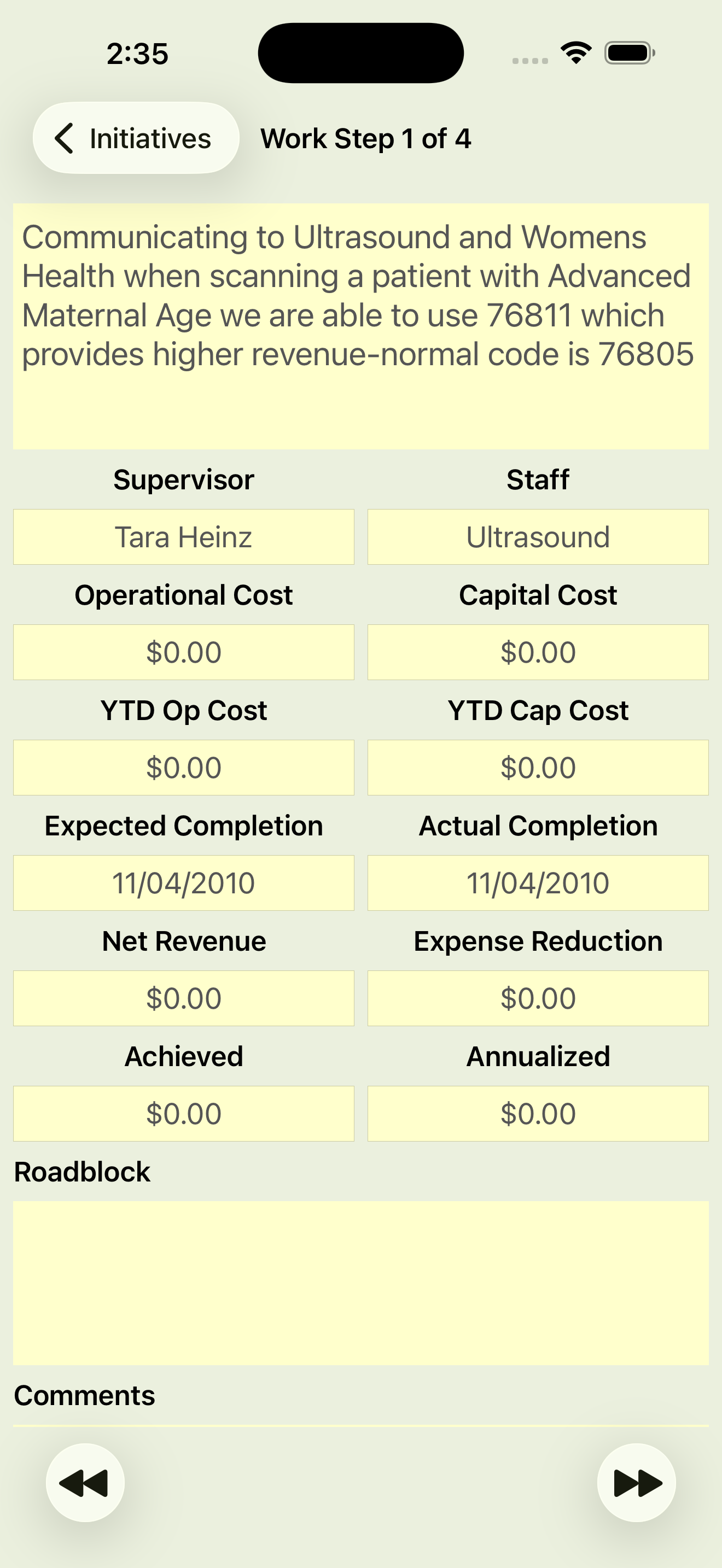
WORK STEP DETAIL
To view a work step detail, tap on any work step listed in the initiative view. A detail view will be displayed showing the work step details.
You can step through the list of work steps by pressing the ⏪ and ⏩ buttons.
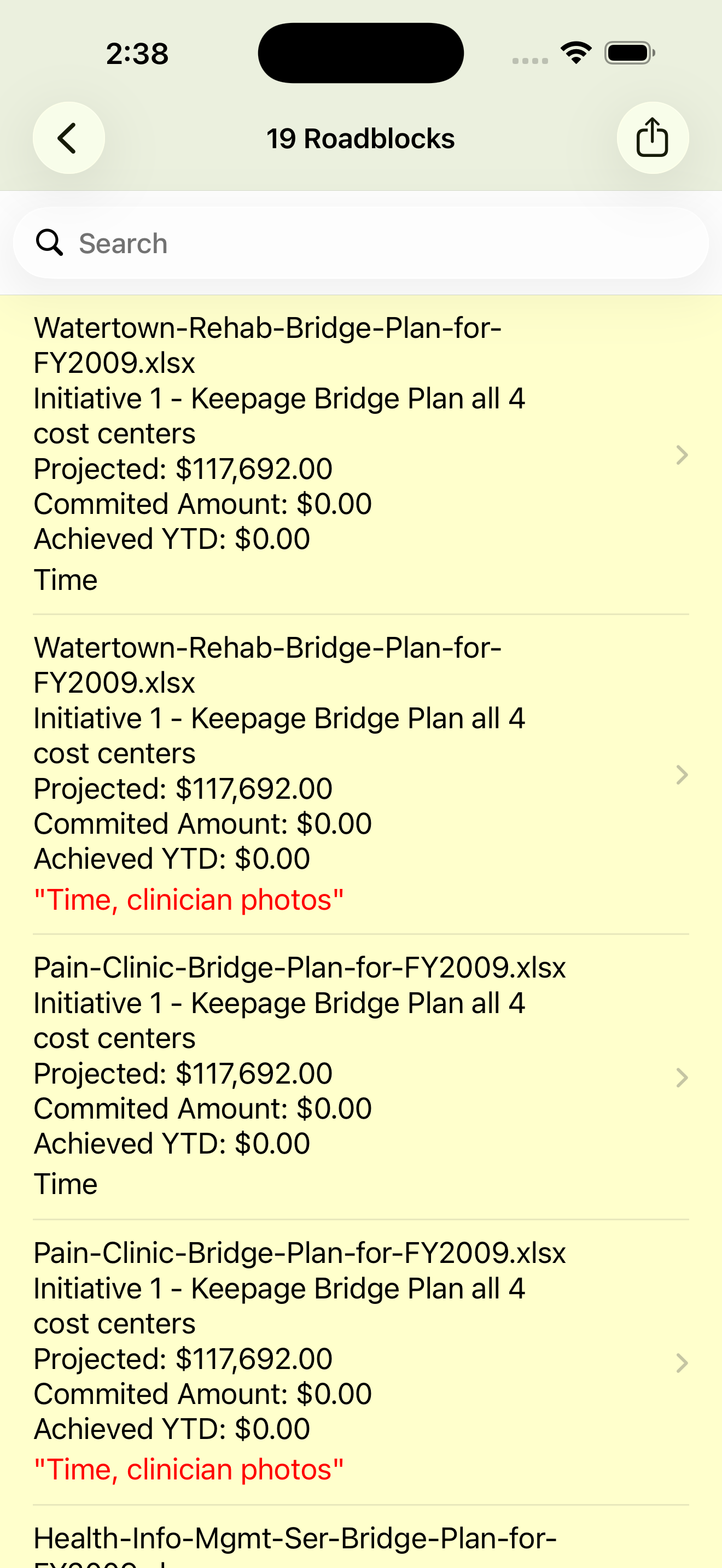
Tap the roadblocks button on the initiative detail view to display a list of all roadblocks impeding the initiatives progress.
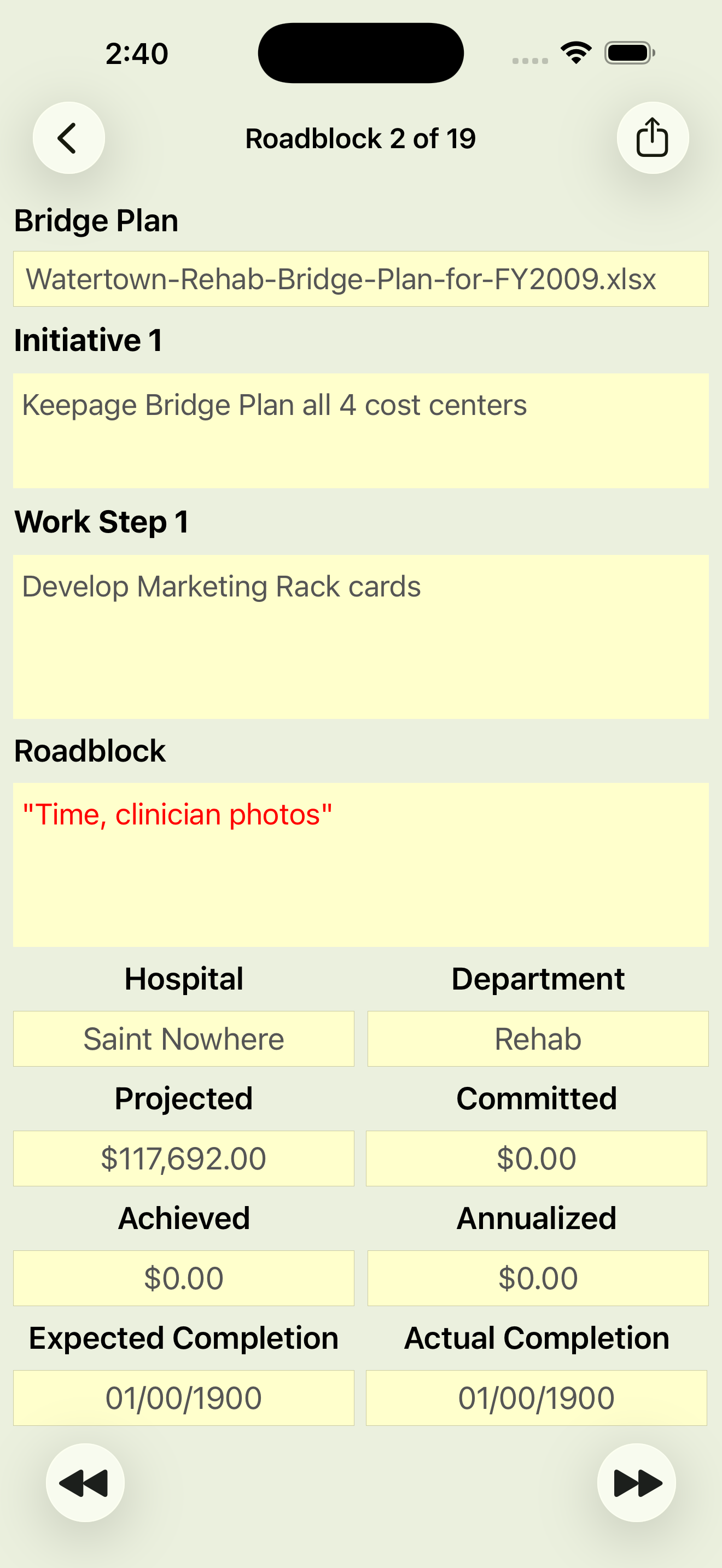
To view a roadblocks detail, tap on any roadblock listed in the roadblock list. A detail view will be displayed showing the roadblock details.
You can step through the roadblocks by pressing the ⏪ and ⏩ buttons.
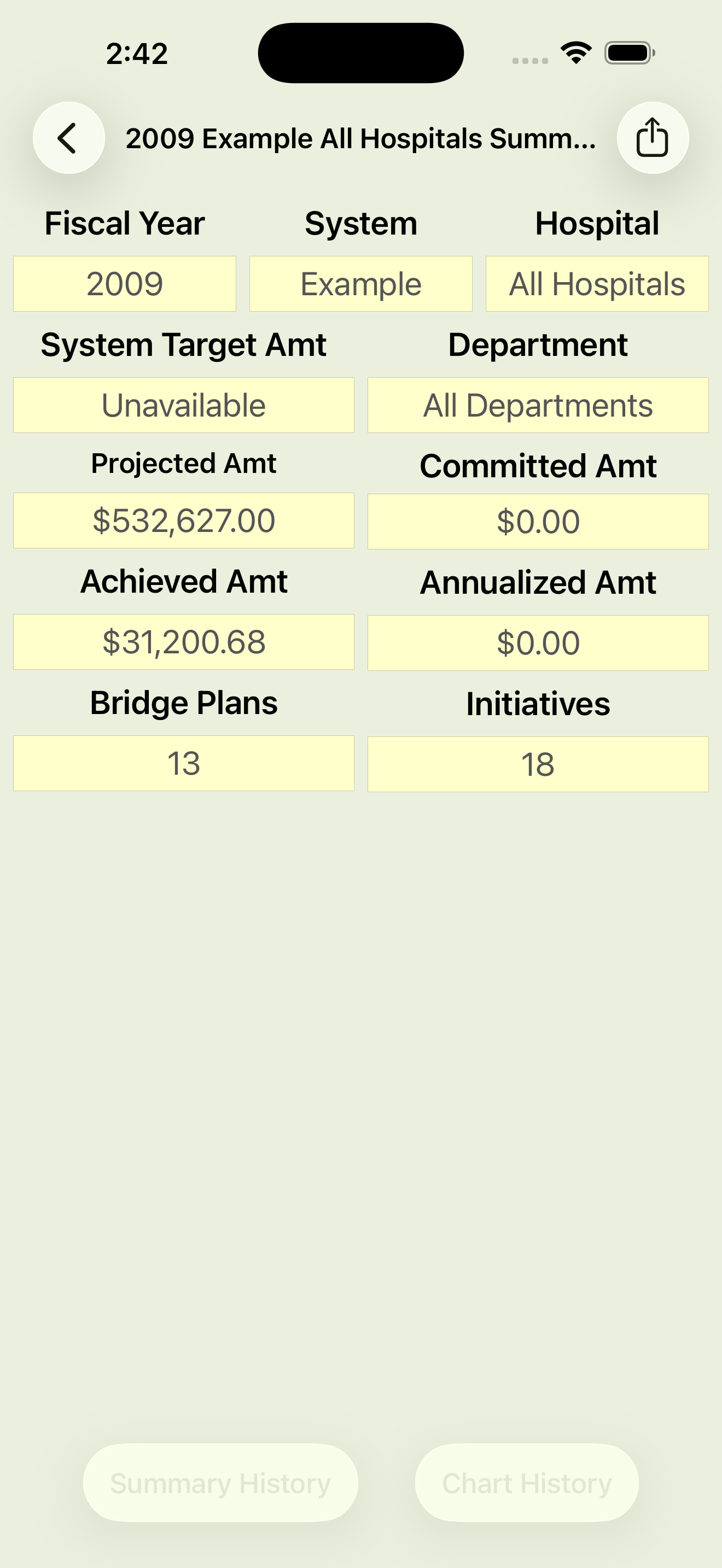
Tap the Summary on the Bridge Plans Selected view to view year-to-date progress towards the bridge plan target. Including achieved, projected, committed or annualized amounts as well as the number of bridge plans and initiatives.
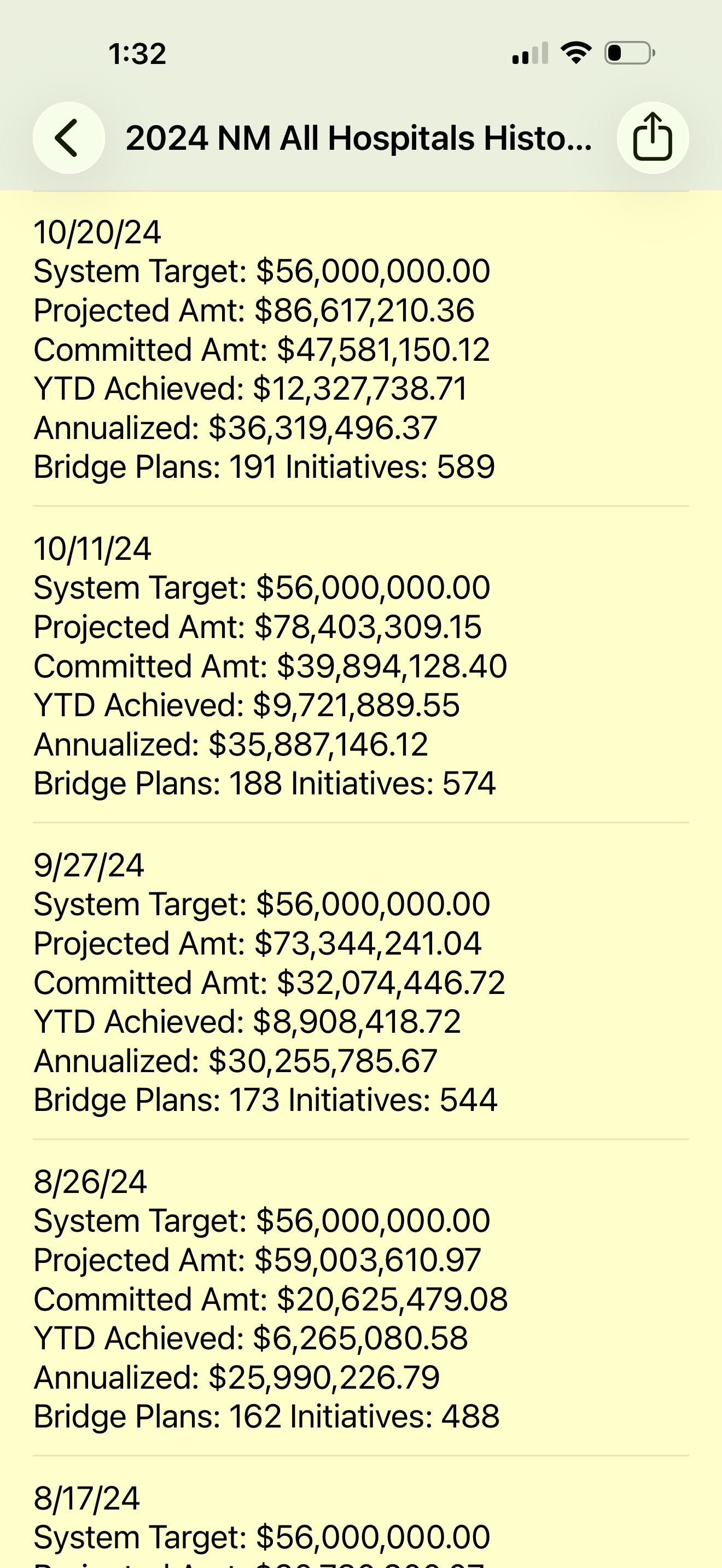
HISTORICAL PROGRESS
Tap Summary History to view the historical year-to-date progress of the system bridge plan.
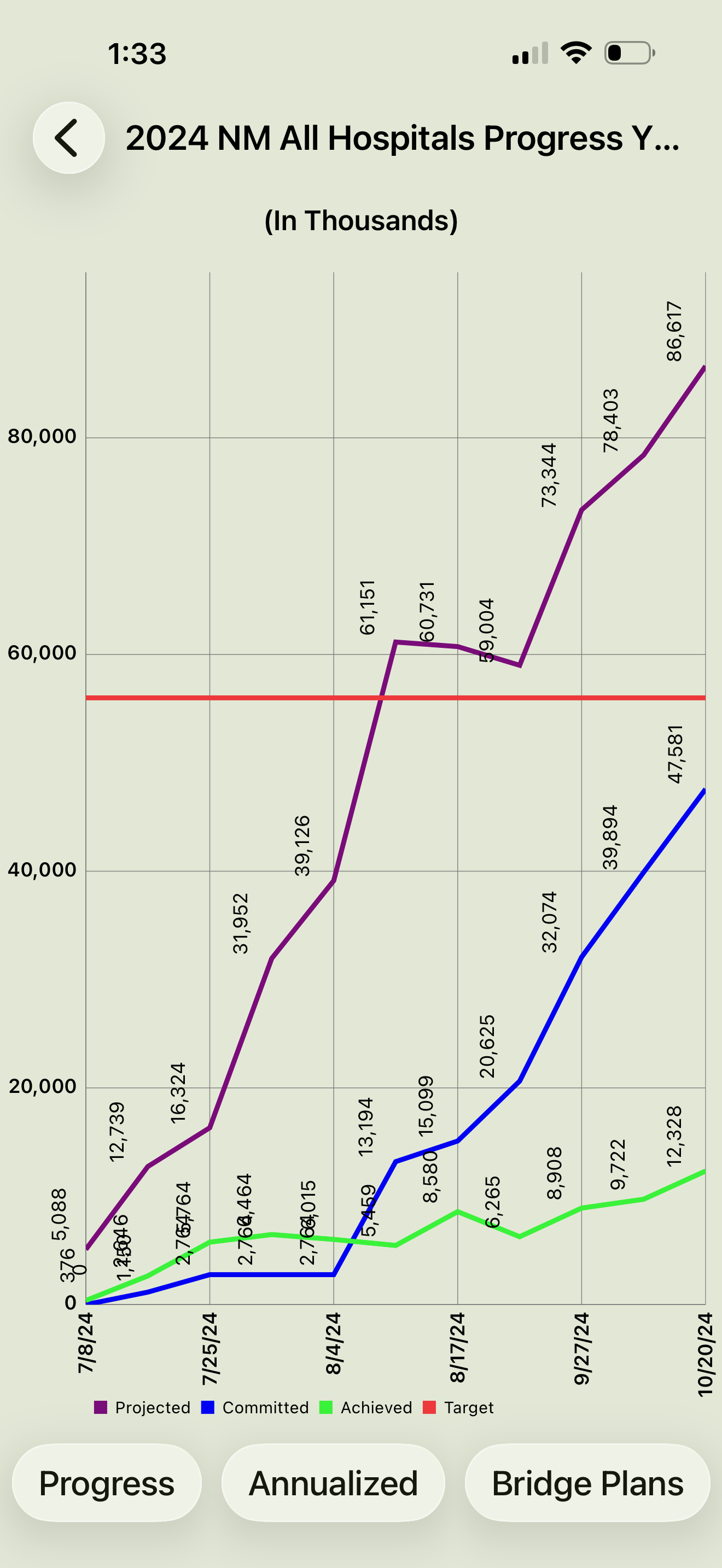
Tap Chart History for a graphical view of the historical year-to-date progress of the system bridge plan.
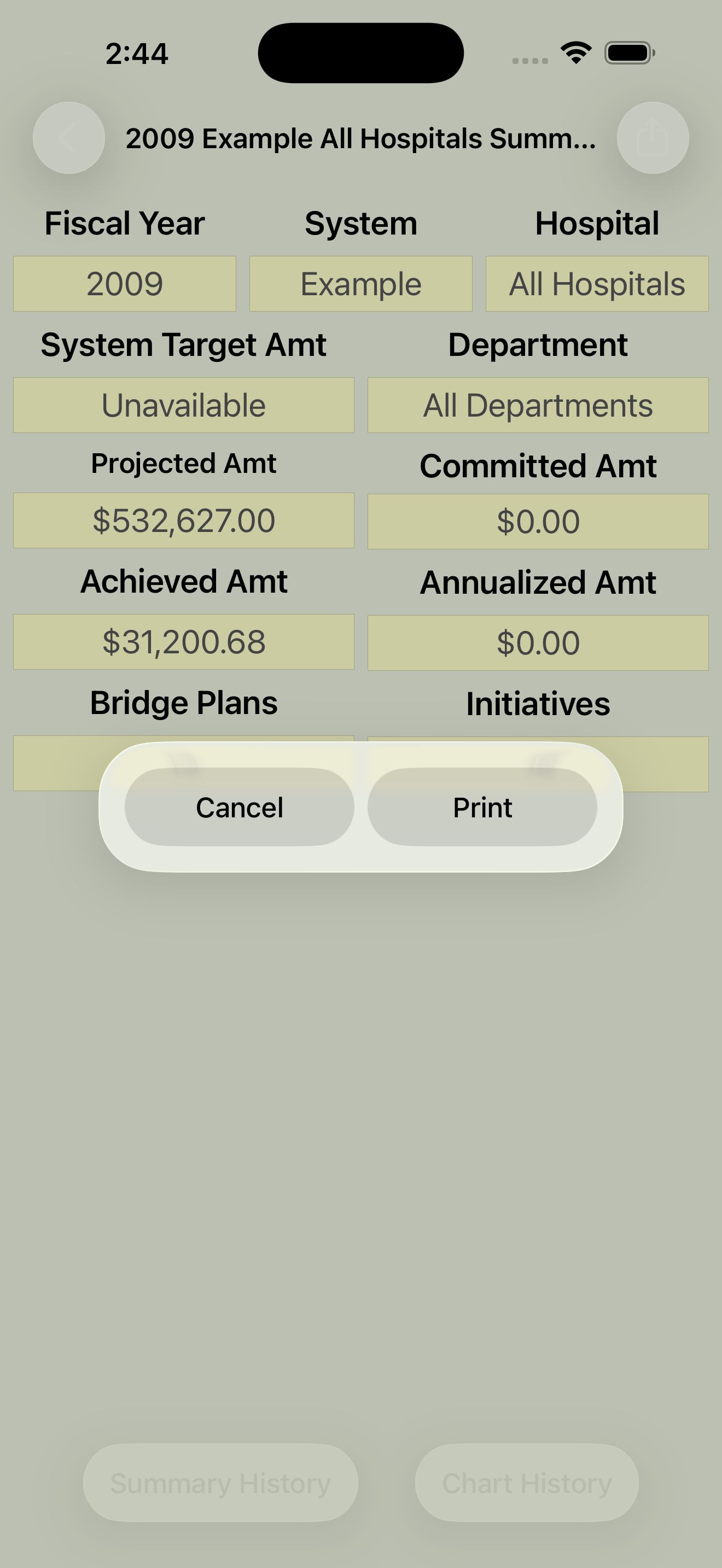
Tap the action button to email or print the bridge plan summary, initiative list, initiative detail with work steps.

Integrity Management Advisors, LLC
PO Box 231
Hopkinton, MA 01748
Copyright 2026. All Right Reserved.
CONTACT
Lawrence McManus
Email: info@imallc.com